AI that Adapts to Your Workspace
Enable built-in AI, connect OpenAI, Claude, or self-hosted Ollama, and deliver insights across your tasks and knowledge base.
Works with OpenAI, Claude, or self-hosted Ollama
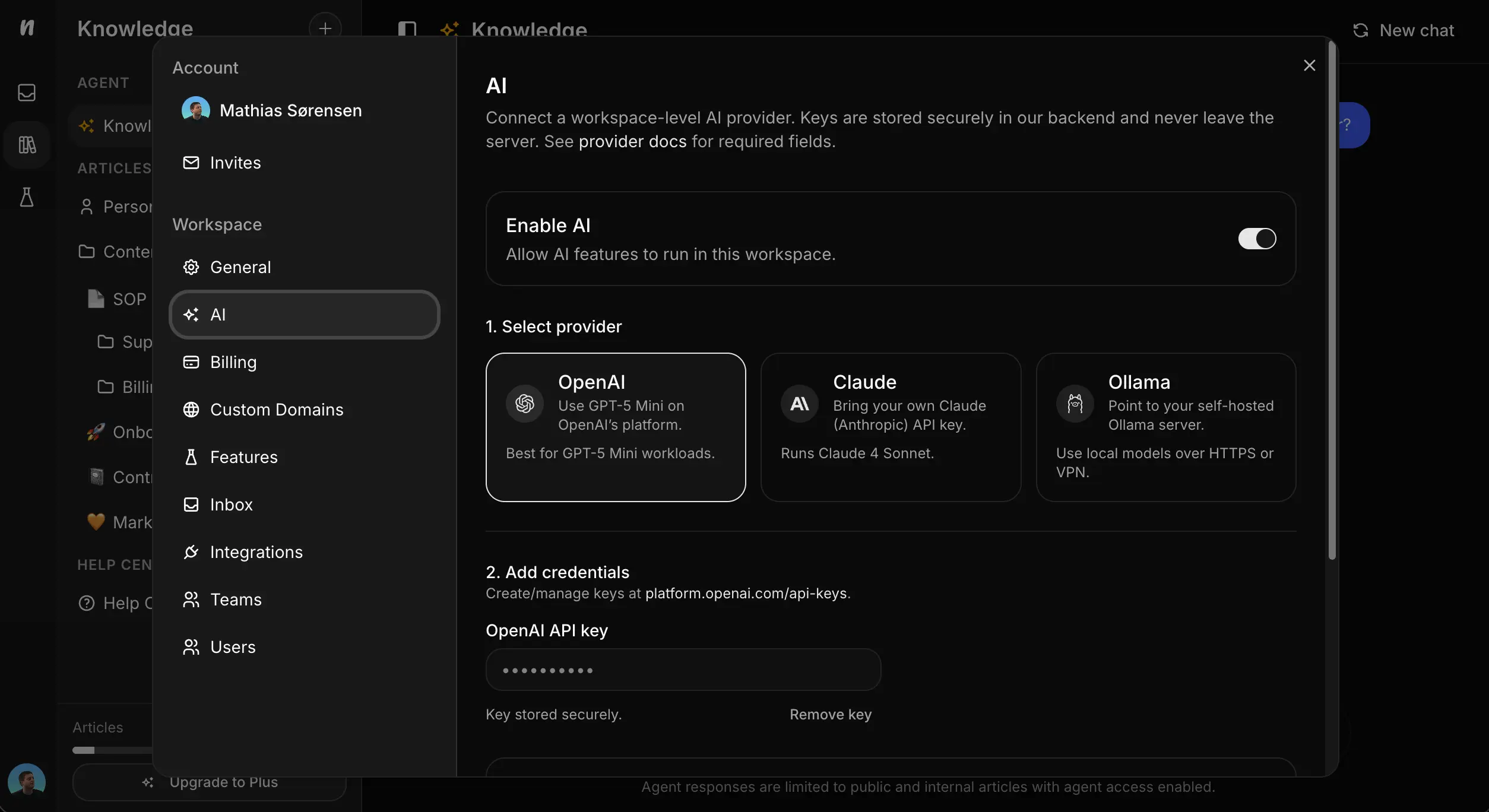
Enable AI without changing tools.
Toggle AI on in workspace settings, connect your provider, and use agents across tasks and knowledge. No separate setup, no extra platforms to learn.
Open Workspace Settings
Click your avatar, choose Settings, then select AI under the Workspace section.
Pick Your Provider
Use OpenAI (GPT-5 Mini), Claude (Claude 4), or self-hosted Ollama for local models.
Add Keys & Test
Paste your API key or Ollama server URL, then use Test connection to unlock AI features.
Choose the AI that fits your security needs.
Bring your own OpenAI or Claude key, or keep everything on your network with Ollama. Test connections before rollout so your team can trust results from day one.
Enable with one toggle
Turn on AI features from workspace settings
Choose your provider
OpenAI GPT-5 Mini, Claude 4, or self-hosted Ollama
Secure credentials
Keys stay in Neuphlo's backend; Ollama keeps data on your network
Verify before rollout
Test connections to unlock AI across your workspace
OpenAI
Use GPT-5 Mini through OpenAI with your own API key. Great for fast, general-purpose assistance.
Claude
Bring your Claude 4 key for thoughtful responses and longer context windows.
Ollama
Run local models on your own Ollama server over HTTPS or VPN. Keep data on your network for maximum privacy.
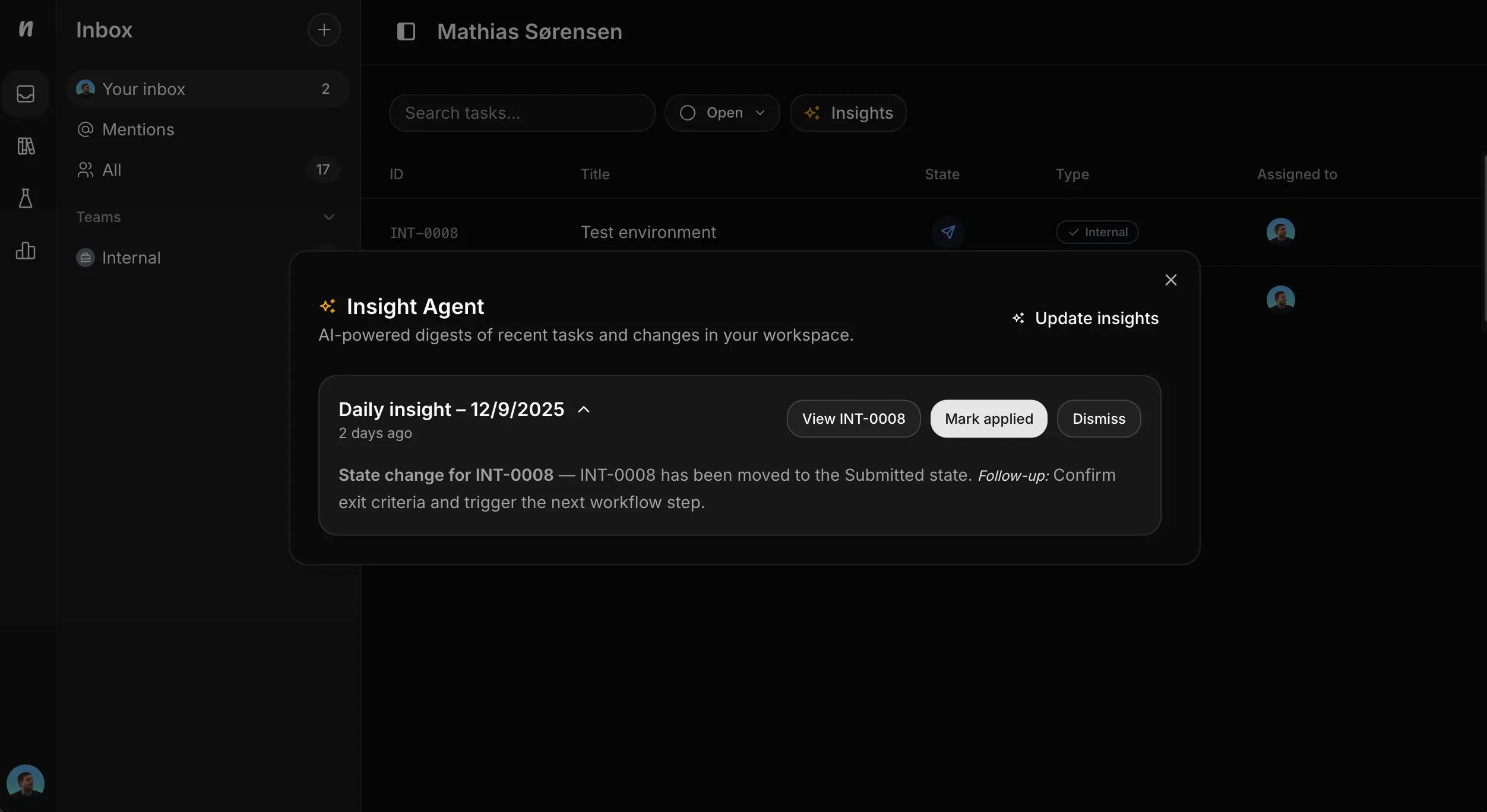
Daily digests without the manual work.
See what changed in your workspace with AI-powered summaries. Insights call out important events and suggest what to do next so teams stay aligned.
- ✦Open your Inbox, click Insights, and browse daily digests.
- ✦Mark items applied or dismiss them to keep the queue tidy.
- ✦Update insights on demand to refresh the summary.
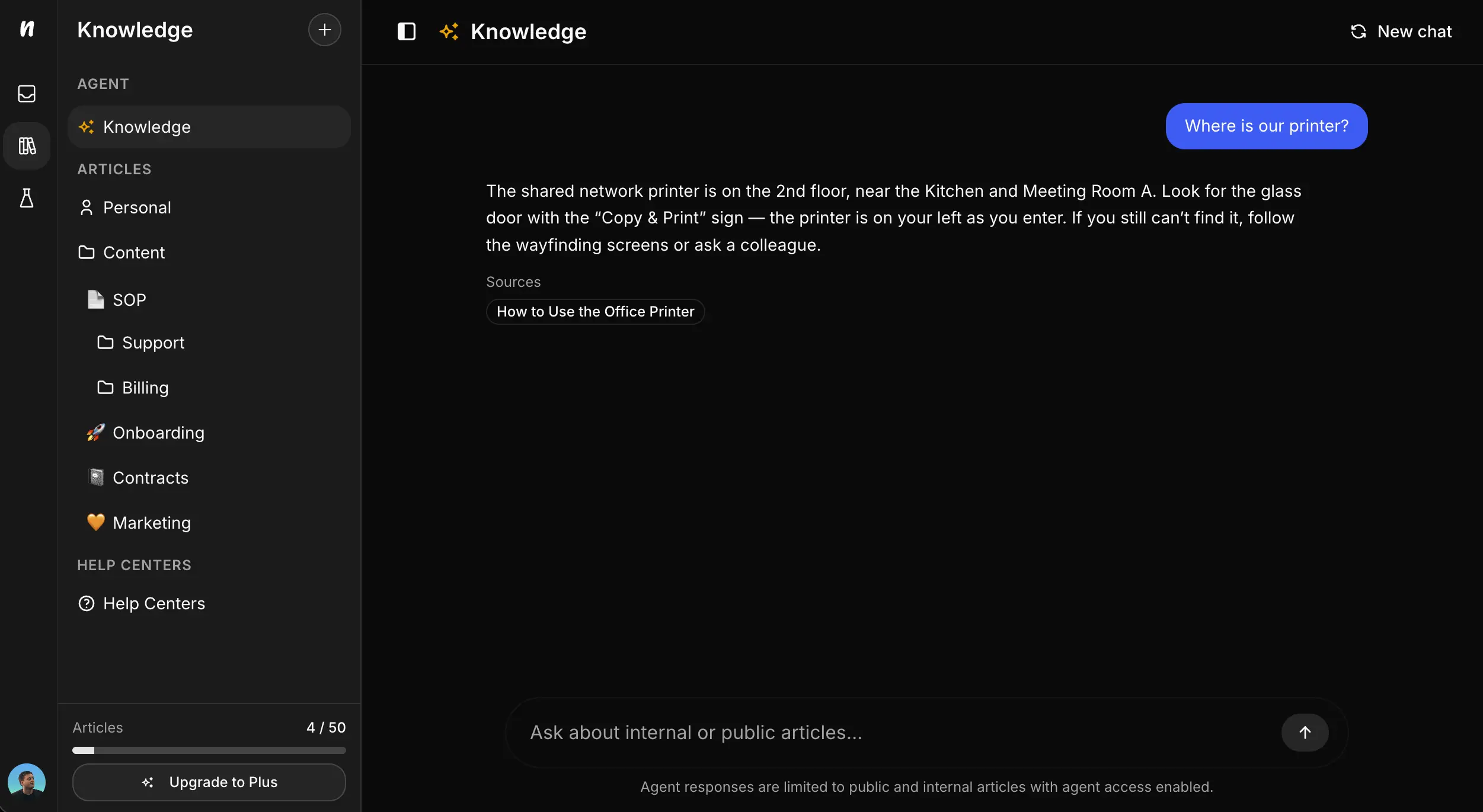
Answers straight from your docs.
Ask natural-language questions and get concise responses sourced from your articles and help center. Keep documentation current and the agent stays reliable for everyday questions.
- ✦Route teammates to existing answers instead of searching folders or pinging others.
- ✦Surface gaps so you can add articles the agent will use next time.
- ✦Works with internal docs and public help centers—no duplicate content.
Your data stays yours.
API keys are stored securely and never leave Neuphlo's backend. Use Ollama when you need traffic to stay on your own network, and test every connection before enabling AI across the workspace.
Secure storage
Keys never leave Neuphlo's backend and can be rotated anytime.
Local-first option
Point to an Ollama host over HTTPS or VPN to keep data in your environment.
Confidence checks
Use the Test connection button to validate credentials before rollout.
Start Using AI in Neuphlo
Turn on AI, pick your provider, and ship faster with summaries and answers that stay in context.